Wednesday, March 2, 2011

How to add your site into Google Webmaster Tools?

.: First thing first, if you're already using Blogger blogspot, registering your blogs with Google Webmaster is super easy. Once you've created your blog, they will ask you whether to add it automatically to their Webmaster Tool or not. But if you're not using Blogger blogspot, or you've missed the automatically 'add your blog' option, you might need to do it yourself.

Below is an example how to add a site (Blogger) into Google Webmaster manually:

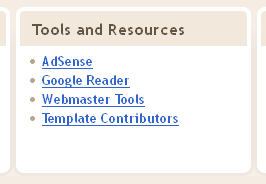
1. From our Blogger Dashboard, scroll downwards and look for Other Stuff > Tools and Resources. Click on the Webmaster Tools link.

This tools is in the middle, between Mobile Devices and Help Resources.

2. Click on the 'Add a site' button, and type in our full URL address of our blog.

Whose blog is that? Haaa.. :-P

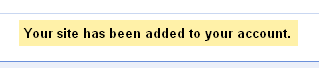
3. One yellow notification will appear on top if our blog addition process is successful.

It usually will look like this one..

4. Do not worry if our stats and analytic is empty. Give it about two or three days to see it starts kicking~

Newly added Aiemm blog in Google Webmaster Tools.

In case they need you to put some HTML code into your blog to make this Webmaster Tools work, what you need to is go to your Blogger Design tab > Page Elements > click Add a Gadget in the design area > and choose to add HTML / JavaScript > and paste your given HTML code there. Now your blog is ready to run the Google Webmaster Tools~

Add this element to paste in your HTML codes given~

If you need help adding a site or need to read more about this Webmaster tools, please refer more to Webmaster Tools Help~


aiemm: "To manage a lot of blog is not an easy task. Commitment. Responsibility."
:.

Google Webmaster vacancy: Open to all bloggers out there~

Google Webmaster Tool logo?
.: Ya ya yaa~ :-P

(Disclaimer: I'm not one of the googler, and this post is not from their human resource either. I'm just letting you know that this Webmaster post is still open until today~)

What is Google Webmaster?
Webmaster : The person who is responsible for designing or managing a website.

So, a Google Webmaster is : An opportunity to let internet marketers or ordinary blogger feels the Google's hardship when designing or managing their blogs and websites. LOL~  :-P

If you become one of their webmaster, you will gain access to their most powerful tools, the Google Webmaster Tool. Their most powerful tools?

Google Webmaster Tools

While originally this tools is used for helping our website or blogs to definitely appears in Google SERP, as an internet marketer this tools can help to amplify our site conversions from much more precise and better targeting.

Things inside Webmaster tools can help us as an internet marketer:
  • Settings : I like this the most because I can make my blog to be specifically shown to users from my preferred geographic target (Talking about localization). Leave it unchanged if you don't wish to do geo-targeting.
  • Search queries : Now we can know which searched queries that bring our readers to our blog. Because that keyword is what we're known for~ 
  • Links to your site : How many times our blog is linked, plus the 'Your most linked content' can shows us which blog post gets the most attention. (That's why they link it to us).
  • Keywords : This is a list of commonly found keywords written in our blog. If our blog specialize in listing eating places, our most common keywords should be related to "eateries", not other keywords than that.. 
  • Malware : This one special tools is able to tell if our blog is infected by malwares so action can be taken to fix it.. X-O  

In their 2010 SEO video, this malware detection tool has been told to public. This tool is extremely important when we use self-hosted WordPress as our site. Because sometimes we never know why users cannot access to our site (because it was blocked by Firefox when they try to open it), so this tool can help us to check it out. I wonder if there is other way to check malware infected sites for free?  :-?

One more thing before we apply for this webmaster post - today I read about niche making challenge and one advice I've learn there is to not using Google webmaster tool at all. This is because that once you reach the $100/day mark from your Adsense income, you'll face the de-indexing thing... urmmmm... :-(
(This statement is still doubtful. But you can get the point.)

I thought if we play by the rules, nothing bad will happen.. :-(

So, it is up to you whether you want to apply for this webmaster post or not. I just want to try and look how this tool can help me or not. After I had that $100/day, I will think again about using other options to manage my blogs.

For further reading (and watching):


aiemm: "Why we need to be a webmaster in the first place?"
:.

Friday, February 25, 2011

Personally, I use internet marketing forums to..

.: ... learn other internet marketer mistakes? :-?

Define Internet forum:
  • An online discussion site where people post their messages to converse with each other.
  • other nickname? Message board.
  • Users can be anonymous or they can register if they wish to post their messages.
  • A posted message might need approval before it can become visible.
  • Forum is divided into smaller groups. Forum > subforum > topic > thread.

Internet marketing forums can be used in several ways to help our online business grow, such as:
  • asking for help about certain problems associated with internet marketing.
  • getting more inspiration and emotional boosts from other members who has already succeed.
  • looking for recommendations about the best products or services or partners to help our business.
  • testing a new ideas or new technique with a lot of people joining in.
  • promoting our business by sharing quality and relevant information.
  • searching for a new micro niche with "starving" students~
  • etc..

Top 3 popular internet marketing forums with active members~

#1: Warrior Forum.

We are warriors because we want to be financially independent!~

Sorry, I just made that up. But we do want to be financially independent right? We are warriors because we live our life the way we want it to be~  :-D

#2: Digital Point forum.

You got a point there.

In this digital world, someone's mistakes can be someone's treasure. So get more treasure and leave no mistakes!

#3: WickedFire forum.

It's so wicked and full of burning entrepreneur spirits~

To keep that fire burning prosperously we must unite as one. Internet marketing forum, your online business campfire~

There is a lot of internet marketing forums out there, and you are free to choose which one you like. My preferred local forum? The one and only WangCyber forum~

I say yes to cyber money~~


aiemm: "Lurking around? No no nooo, yes yes yesss~"
:.

Tuesday, February 22, 2011

Free Professional Templates for Blogger Blogspot user~

Blogger~
.: Looking for free professional-looking templates for your blogs? :-)

I used to stick to one specific template for my personal blog until one day I realize white is the most attractive easy-on-our-eyes color when we read a blog with a lot of texts. It looks best when combined with a simple layout without too much stuff laying around. This is important if I wants to write a blog with high CTR in mind and selling other online stuffs too. Hurmmmm...

Before this I love to lurk around 'googling' for free Blogger templates and tests them out, but this time I'll just use Blogger's free template service. I need to reduce my time searching for templates and convert it into looking for internet marketing lessons and tips, and one bad habit of mine is I always modifies free templates that I get according to my own taste, which wastes a lot of my time. To be more productive I need to sacrifice something, mmm.. :-(

Okay, let that thing aside, let's move on to our free and new Blogger Template Designer~~

Introducing the Blogger Template Designer
I think I already fall in love with one template from this video, heehee~ 

Looking at the video it looks very easy to create a beautiful Blogger design using their Template Designer. There is two ways to access this feature, one from our Blogger Dashboard, or just by switching to Design tab to edit our Blogger layout~

Click 'Design' to access Template Designer from our Dashboard, or..

... Click on 'Template Designer' in our Design tab~

Just in case you and me are afraid that we might messed up our current blog design, how about we do some experiments with it? Click this Template Designer test drive to test it out~

And if we are happy with the new layout, please, please back up our current blog design by downloading it's full template from Design > Edit HTML first.

Download the full template to back up our current blog design.

Another careful reminder: Some widgets might be lost when we put the new design into effect with our current blog. So, please copy and paste all of our widget HTML settings inside a new document in Google Docs first, and after finished and satisfied with the new design, we can Add a Gadget in our blog Page Elements and paste our widget HTML again~
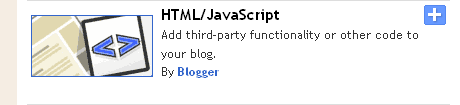
Add a Gadget (widget) - Add HTML/JavaScript elements into Blogger~

With this many works and steps to do, we're lucky we can skip our template designing part. Eh? Is it that many? You've to try it first to believe it~~  :-P
Info:


aiemm: "Remember not to always please our eyes only - we need to consider our blog reader's eyes too~"
:.
Saturday, February 19, 2011

How to tease our blog readers with our links~

.: Links were made to be clicked, copied, or linked. But not to be teased. Eh? :-P

I found an interesting explanation about HTML link. I use link a lot, either for showing us interesting stuff, link to other good article, embedding pictures, videos, etc, because link is useful. What is link actually?

Link is usually written like this : <a href="http://blablabla.html">aiemm</a>.

Define HTML link:
(via HTMLGoodies):
  • The 'a' there means anchor. So, 'a' is for anchor, not apple ya?
  • 'href' means hYPERTEXT refERENCE. That's why href is written after a, because to help anchor refer to the desired link.
  • URL (uniform resource locator) is normally written is this format http://blablabla.html or http://aiemm.blogspot.com . URL is another word is the address of our blog. Another example: Facebook URL is written like this http://www.facebook.com , and YouTube is http://www.youtube.com .
  • and to close the anchor, it is written as '/a'.

The most common link properties used in this blog is the target attribute. I think I should use the title attribute from now on. Hee~ :-)

What is a HTML link attributes?
  • our HTML links can be given certain emotions. Like when you click on it, it opens the target website in a new window or a new tab instead in the current window. This is called a naughty link, and it contains _blank as it's target.
  • eg: <a href="http://aiemm.blogspot.com" target="_blank">aiemm</a> . Or it can be written as target="_whatevernamehere" too~
  • another attribute that catches my eye is the title for HTML links. When we found links with title, that links is considered truthful and honest. Why? When we point our mouse it shows us the link name~
  • eg: <a href="http://aiemm.blogspot.com" title="i like IM">aiemm</a> . To show this link emotion, hover your mouse on this aiemm link~

Wiki-chain. The HTML link to information~  ;-)

So, after learning this HTML link, now we can proceed to the teasing part~
  • How to tease our blog reader with links #1 : Instead of href-fing our link to the original website, how about linking it to wrong website? :-P
  • How to tease our blog reader with links #2 : Write our link title as funny as strange as we might. It must not be annoying, but helpful playful~~
  • LOL~  :-P 

Now we can go practice teasing our links~ Oh yeayyyy~  X-D
Further reading~


aiemm: "This post is not meant to be like this, noooooooooooooooo~~"
X-O
:.

Thursday, February 17, 2011

What must we do after done publishing our new blog post? Ping ping ping~~ (Ahem, one ping is enough)

.: You may or may not done this before, if if you do it, you help your blog to prosper~~  :-D
(or something like that)

Usually, after finished publishing our new blog post, we should ping it immediately.

Define Ping: 
The 'pinging' (doing ping) act is considered as telling the search engines or other servers that one blog has been updated with a new content. It tells them that they should list or crawls or index our new post so it can be found when other people search for it.

Ping = door bell. It's like telling the owner that new contents is coming~~

To ping our blog is pretty easy, and it's free. We just need to write our blog name, it's full URL, or it's RSS URL and then send our pings. We can use one single website to do that, or we use other website that specialize in doing multiple pingings. Here is a decent list where we can do some pingings~
  • Google Blog Search ping service~
  • FeedBurner ping : If you had your blog registered with FeedBurner, this is your ping shortcut~
  • Ping-o-Matic! : Ping-O-Matic is a service to update different search engines that your blog has updated.
  • Pingoat : Pingoat is a service that pings or notifies a number of services that keep track of weblogs and publish them.
  • PingMyBlog : is a service which notify all the major blog directories in one go so that everyone knows about your latest blogs.
  • Pingates : is a service that pings or notifies a number of services that keep track of weblogs and publish them.

I usually use Ping-o-Matic interchangeable with Pingoat. Say, for today's new post I use Ping-o-Matic to ping it, and for tomorrow new post I'll use Pingoat to ping them. Why? Some services unavailable in Ping-o-matic can be found in Pingoat. Why stingy with one website? Use other websites too~ Plus, it's not the usual me-heehee~~ X-D

Further reading:


aiemm: "Interchangeable... What is the simplest word to replace it?"
:-?
:.

How to add more search engines to our current Firefox search bar?

Firefox search bar~
.: Firefox search bar? Eh??

In case you didn't know, on our right side of our Mozilla Firefox browser is where our handy search bar located. If you are using Firefox 4 beta 11, your search bar will look just like this picture here  -->
(FYI, usually your Firefox search bar is the same bar either in Firefox 3.6 or Firefox 4).

Before this, Firefox search bar have 6 default search engine : Google, Yahoo, Amazon.com, Creative Commons, eBay and Wikipedia (en). Now one of them is gone and is replaced with Bing. Ouch! :-(

Okay, no need to worry. I'll share with you the link to search using Creative Commons later. Now rejoice~~  X-D

And let's look at one example on How to add more search engines to our Firefox search bar~

Adding YouTube video search into our Firefox.
First, open our YouTube page in a new tab. Then click the drop down menu in our search bar. It really should look like this.

Search bar is "telling" us to add YouTube search.

Click the 'Add YouTube Video Search'. And now our search engine addition process is complete. So, when we want to search other video to embed it inside our blog, we can just search it from our Firefox search bar~

YouTube Video Search~

We can add other search engines too, like Flickr, Answers.com, Dictionary.com, EzineArticles, localized Wiki search, etc~ Some search engines (like Creative Commons) does not support it's addition to Firefox search bar yet, but we can always bookmark them for our use later~


aiemm: "Isn't it more convenient to search from one place only?"
;-)
:.
Related Posts Plugin for WordPress, Blogger...